Guide to Viewing All Tickets and My Tickets for Users
An organization user can choose from the Tickets menu whether to view all accessible tickets or only the tickets they submitted themselves.
This selection is made through two options: All Tickets and My Tickets.
Opening the Tickets Menu
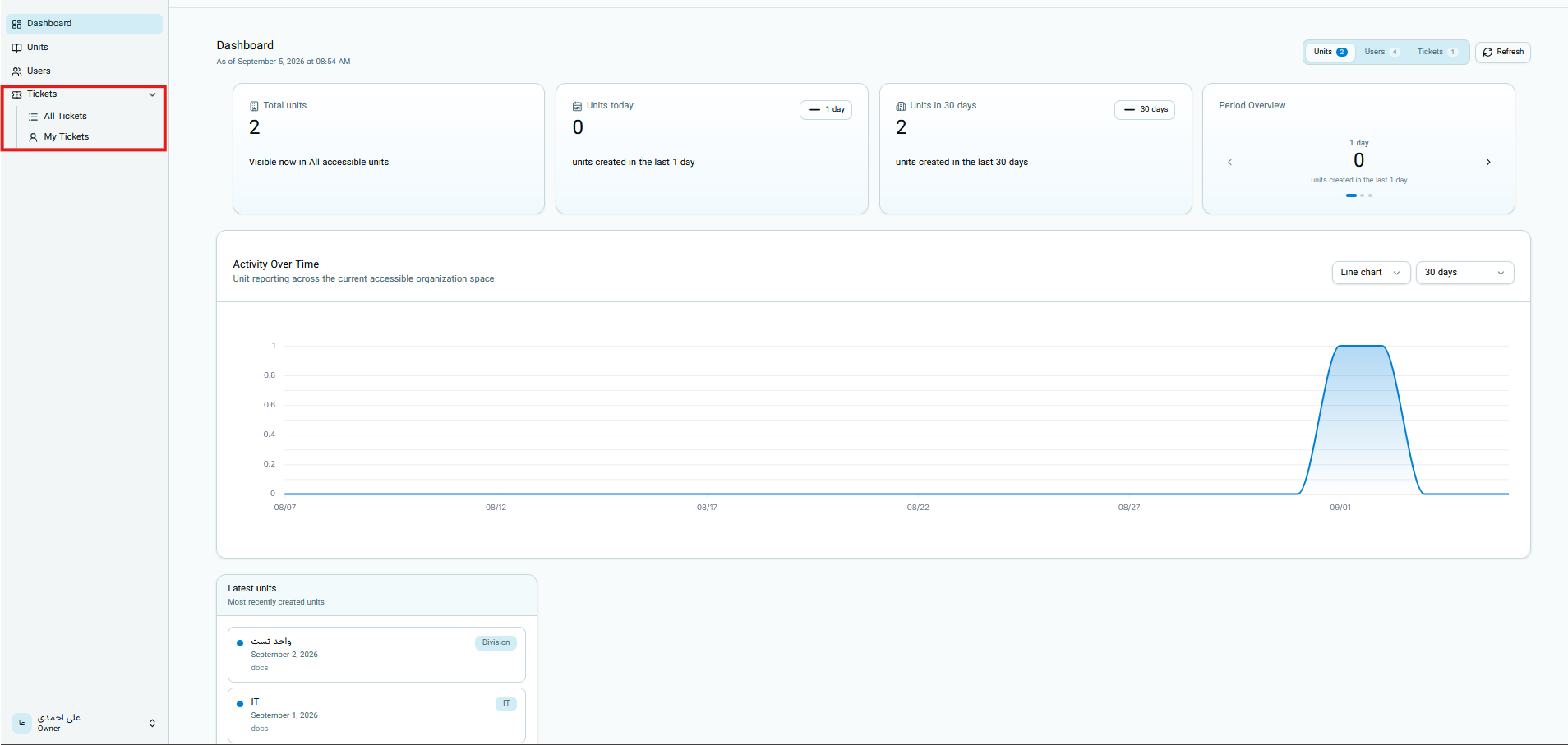
In the right sidebar, click on Tickets or the arrow next to it. Once the menu opens, the following two options are displayed:
- All Tickets
- My Tickets
The "All Tickets" Option
By selecting All Tickets, all tickets that your user account is permitted to view will be displayed.
For an organization user, the All Tickets option does not mean viewing all tickets across the entire system.
This option means all tickets visible to you based on your organization, unit, and user role.
The "My Tickets" Option
By selecting My Tickets, the list is filtered to display only tickets where the current user is the requester or submitter.
Only tickets where the current user is the requester are displayed in My Tickets.
To view tickets submitted by other authorized users of your organization or unit, switch back to the All Tickets option.
Ticket Visibility Scope for Organization Roles
To determine visible tickets, the system checks the user's effective role and organizational unit. Organization roles include:
- Organization Owner
- Organization Admin
- Unit Manager
- Specialist
- Member
- Viewer
The visibility scope for the Owner and Admin is calculated at the organization level; however, the other four roles follow a common rule based on the organizational unit.
Organization Owner
The customer organization Owner can view all tickets belonging to their own organization; regardless of which organizational unit the ticket requester belongs to or whether the ticket is active, inactive, archived, or deleted.
The organization Owner does not have access to tickets belonging to other organizations.
Organization Admin
The visibility scope for the customer organization Admin is identical to the Organization Owner. The Admin can view all tickets belonging to their own organization; including active, inactive, archived, and deleted tickets.
The organization Admin also cannot view tickets belonging to other organizations.
Unit Manager
A Unit Manager can only view the following active, non-deleted, and non-archived tickets:
- Tickets where they are the requester.
- Tickets where the requester is a member of one of their unit's direct child units.
This access extends only one level down. A Unit Manager does not view tickets related to the parent unit, sibling units, or descendants deeper than one level merely due to unit standing.
A ticket submitted by another user in the same unit is not included in the Unit Manager's visibility scope merely because they belong to the same unit.
Specialist
In terms of ticket visibility, a Specialist has the exact same scope as a Unit Manager and can only view the following active, non-deleted, and non-archived tickets:
- Tickets submitted by themselves
- Tickets submitted by users in the direct child unit of their own unit
The difference between a Unit Manager and a Specialist lies in certain operational actions; this difference does not expand the ticket visibility scope under the current rule.
Member
An organization Member also shares the same unit-based visibility scope. They can view the following active, non-deleted, and non-archived tickets:
- Their own tickets
- Tickets submitted by users in the direct child unit of their own unit
This visibility does not mean having permission to perform all operations on the ticket.
Viewer
Contrary to the role name, a Viewer is not limited only to tickets submitted by themselves. If they hold an active and valid membership, their visibility scope is identical to the Unit Manager, Specialist, and Member:
- Active tickets of the user themselves
- Active tickets submitted by users in direct child units
The Viewer role does not grant permission to create or manage tickets; this section only explains the read and visibility scope.
Requirements for Applying Unit-Based Scope
For Unit Manager, Specialist, Member, and Viewer roles, the user must:
- Have a specified organizational unit.
- Have an active and non-deleted membership in that same unit.
If the user lacks an organizational unit or valid membership, the unit-based visibility rule is not applied to them.
What Is a Direct Child Unit?
A direct child unit is a unit whose parent unit value is exactly equal to the user's unit.
Direct child units fall within the automatic expansion of the visibility scope.
A grandchild unit or any unit deeper than one level down is not automatically included in this scope. Parent units and sibling units are also excluded from this expansion.
How to View Your Own Tickets
To narrow down the list to tickets submitted by yourself:
- Open the Tickets menu from the sidebar.
- Select the My Tickets option.
- Wait for the list to load.
- If needed, use the search or page filters to narrow down the results further.
If no tickets are displayed, no tickets may have been submitted by you within the current scope.
Returning to All Visible Tickets
To exit personal view and view the full authorized list:
- Open the Tickets menu again.
- Select the All Tickets option.
- If previous results remain, clear active filters or refresh the page.
Difference Between This Selection and Access Level
Selecting All Tickets or My Tickets only changes the displayed list and does not grant new permissions to the user.
For a customer organization user:
- Viewing a ticket does not mean having permission to perform all operations on it.
- A user can only close a ticket when they are the requester of that same ticket.
- An organization Admin or Owner also cannot close a ticket submitted by another user simply due to their managerial role.
- Switching between the two options does not change the ticket's requester or status.
The Two Options at a Glance
| Option | Which tickets are displayed? | Does access level change? |
|---|---|---|
| All Tickets | All tickets you are permitted to view based on organization, unit, and role | No |
| My Tickets | Only tickets you submitted yourself | No |
Final Customer Role Visibility Table
| Role | All Tickets in Own Organization | User's Own Tickets | Direct Child Users Tickets | Parent, Sibling, or Deeper Child Units | Inactive, Archived, or Deleted |
|---|---|---|---|---|---|
| Organization Owner (OWNER) | Yes | Yes | Yes | Yes; if belonging to own organization | Yes; if belonging to own organization |
| Organization Admin (ADMIN) | Yes | Yes | Yes | Yes; if belonging to own organization | Yes; if belonging to own organization |
| Unit Manager | No | Yes | Yes | No | No |
| Specialist | No | Yes | Yes | No | No |
| Member | No | Yes | Yes | No | No |
| Viewer | No | Yes | Yes | No | No |
For the four unit-based roles, all "Yes" responses are valid only for active, non-deleted, and non-archived tickets.
This table shows the scope of the All Tickets option. The My Tickets option retains only tickets submitted by the current user.