User Management
In this section, you will learn how to view, create, and edit organization users. User management allows you to define members of your organization, categorize them into different units, and assign their access levels (roles).
Click here to view a summary of role permissions in this guide.
Guide Achievements
By the end of this guide, you will learn:
- What a user and an effective role are in the system.
- Who can create new users or edit their information.
- Which roles can be selected for new users.
- What points to consider when creating or editing user information.
What Is a User and an Effective Role?
Every person in the system is a user who, based on membership in an organization or a specific unit, holds an effective role. This role determines the user's access level and permissions in the system.
Roles in order of priority from the highest access level are:
| Priority | Role |
|---|---|
| 1 | Owner |
| 2 | Admin |
| 3 | Unit Manager |
| 4 | Expert |
| 5 | Member |
| 6 | Viewer |
For more information, read the User Access Levels guide.
Prerequisites
To work with the users section, you need the following:
- You must be logged into the system and your account must be active.
- To create or edit users, you must be the Owner, Admin, or Unit Manager.
- A Unit Manager can only create new users or manage users within the scope of their own unit.
- Users with Expert, Member, and Viewer roles do not have administrative access over other users.
Access Path to Users
Log in to the system → Users → Create User → Fill in the Form → Save
Viewing Users
To access this section, navigate to Users from the system menu.
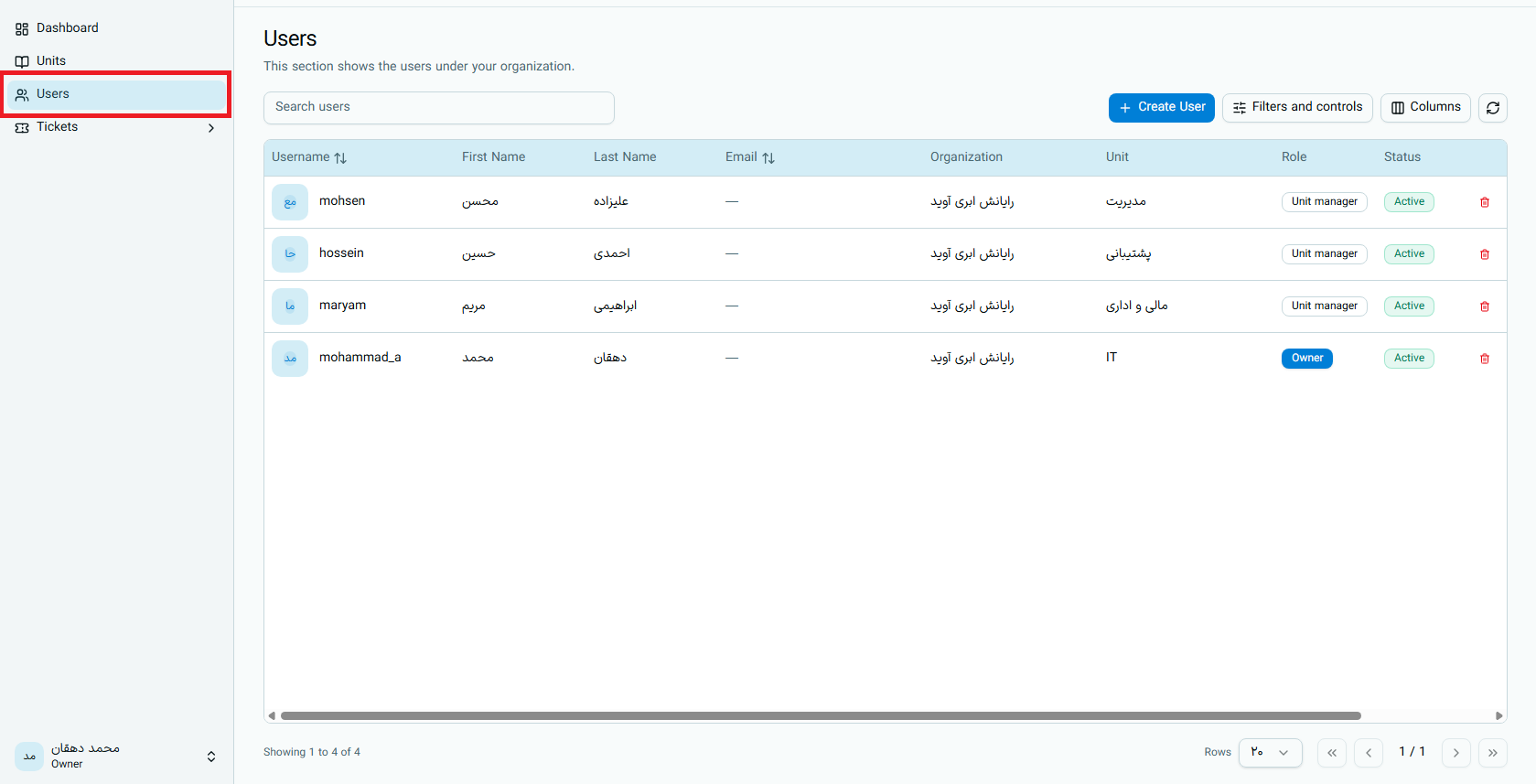
- The Organization Owner and Admin can view the list of all users in the organization.
- A Unit Manager can only view users in their own unit.
- Clicking on each user displays their full information. A Unit Manager cannot view the details of users with an Admin or Owner role.
Creating a New User
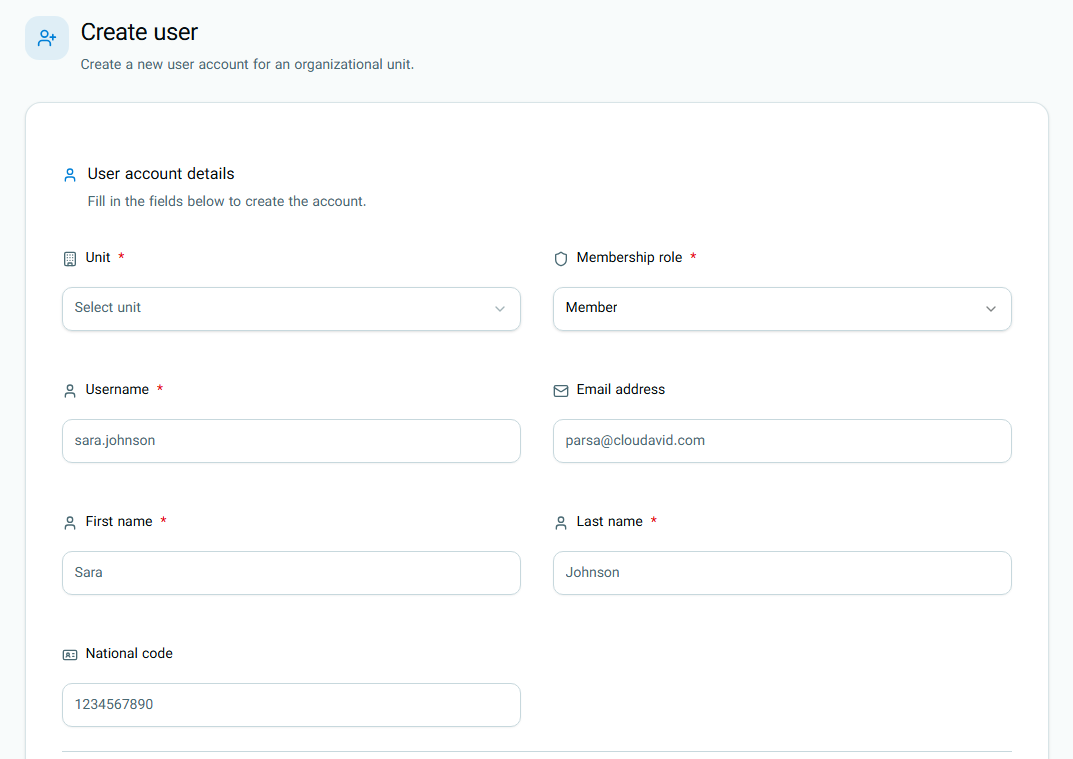
Selecting a Unit
You must specify which unit of the organization the user will become a member of.
Selecting a Role
The user's role determines their access level:
- The Organization Owner and Admin can select Admin, Expert, Member, or Viewer roles for a new user.
- A Unit Manager can only select Expert, Member, or Viewer roles.
The Owner and Unit Manager roles cannot be selected from the user creation form.
Owner is assigned during initial organization registration, and Unit Manager is assigned during unit creation.
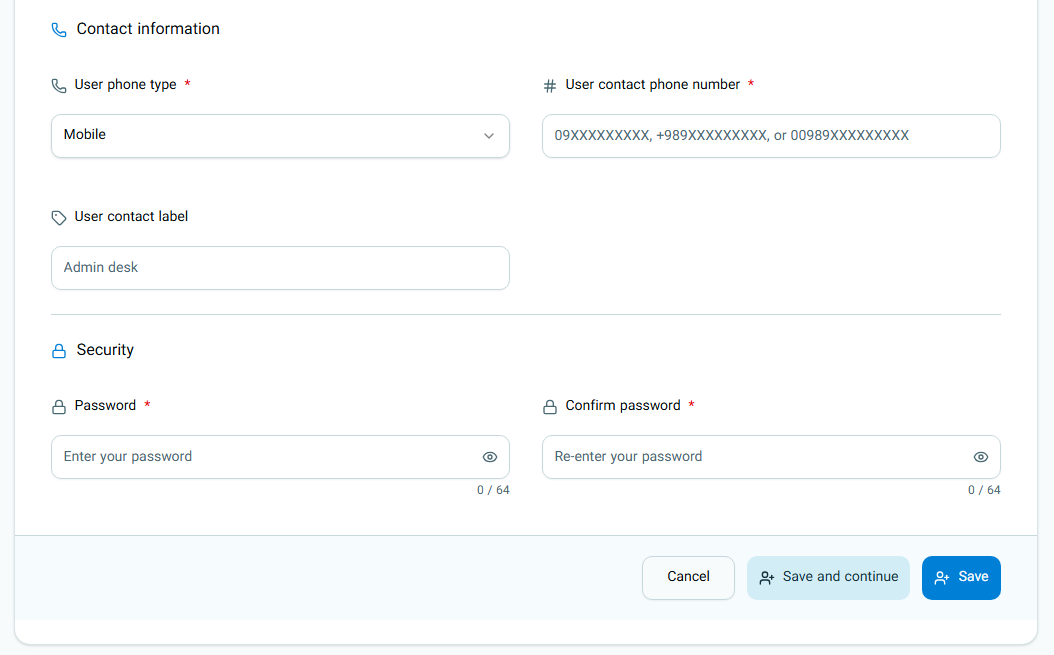
Initial User Information
Entering basic information such as Username, First Name, Last Name, and Password is required to create an account.
Editing Users
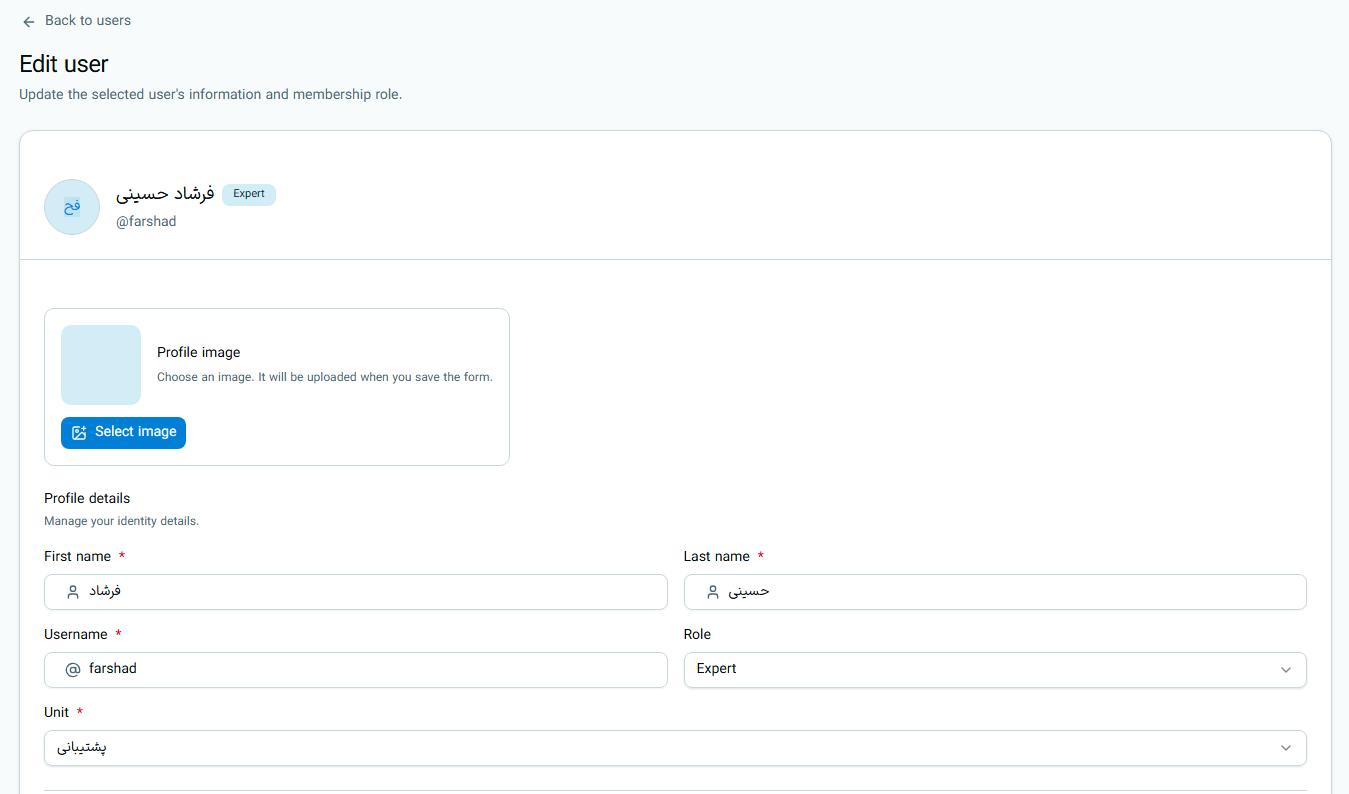
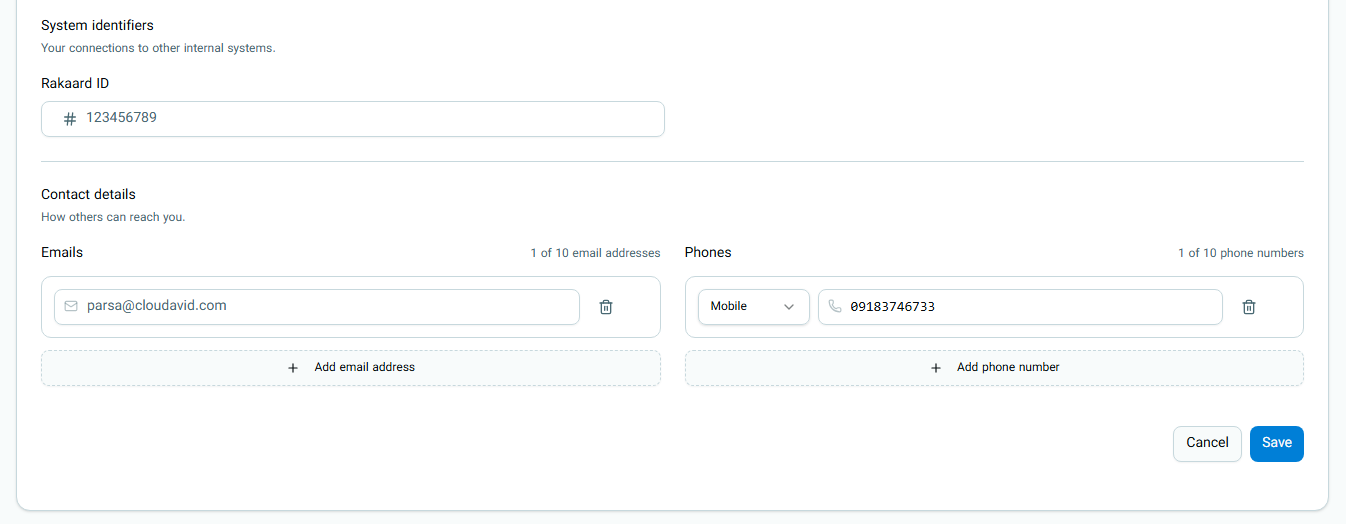
Permissions to edit user information vary based on your role:
- The Organization Owner can change the role or unit of users whose current role is Admin (if they are not a Unit Manager), Expert, Member, or Viewer.
- An Organization Admin can only change the unit and role of users with Expert, Member, or Viewer roles.
- A Unit Manager can only change the role of Expert, Member, or Viewer users who are in their own unit and cannot transfer them to another unit.
For more information about access level limitations, read the User Access Levels guide.
Editing Personal Profile
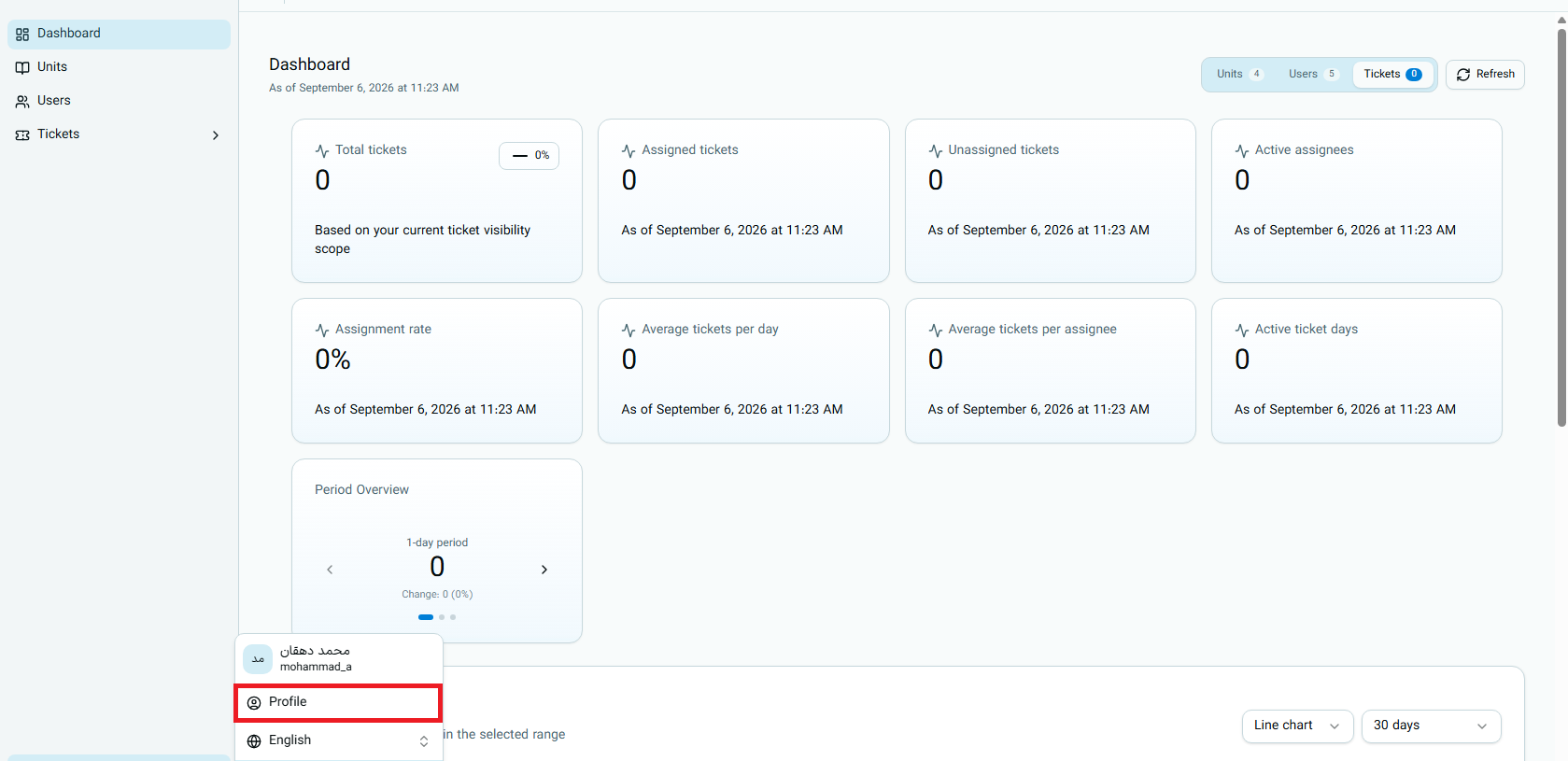
Any active user can access their personal profile at any time and edit their information.
Users do not have the ability to change their role, unit, or account activation status from their profile page.
Role Permissions Overview at a Glance
| Role | View All Users | Create User | Edit Users | Delete Users |
|---|---|---|---|---|
| Owner | Yes | Yes | Yes | Yes |
| Admin | Yes | Yes | Yes | Yes (Expert, Member, Viewer only) |
| Unit Manager | No (Own unit only) | Yes (Only in own unit) | Yes (Own unit only) | No |
| Expert, Member, Viewer | No | No | No | No |
For more information about access level limitations, read the User Access Levels guide.