Organization Management
In this section, you will learn how to view, create, and edit organization information. The organization page is where your organization's primary details, contact methods, and official specifications are stored.
Click here to view a summary of role permissions in this guide.
Prerequisites
To work with the organization section, you need the following:
- You must be logged into the system and your account must be active.
- To edit organization information, you must be the Owner of that organization.
Organization Admins, Unit Managers, Experts, Members, and Viewers can view organization information, but they are not allowed to edit organization information.
Access Path to Organization
Log in to the system → Profile → Edit → Make Changes → Save
Organization Creation
An organization is created only through the registration process in the system, and there is no separate path for manually creating an organization by the user.
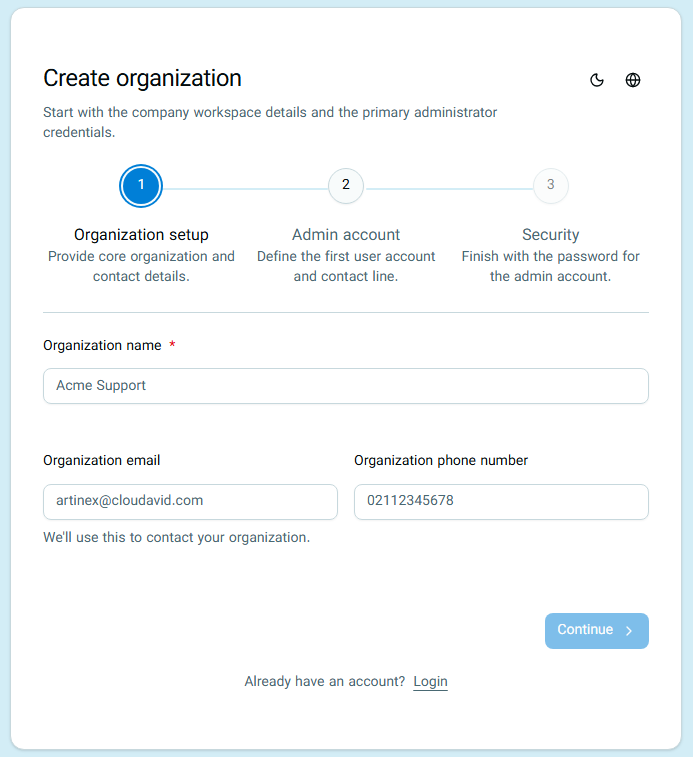
The first user who registers alongside the organization automatically becomes the Owner of the organization and will have the highest level of access in that organization.
Organization Information
The following information is displayed on the organization page:
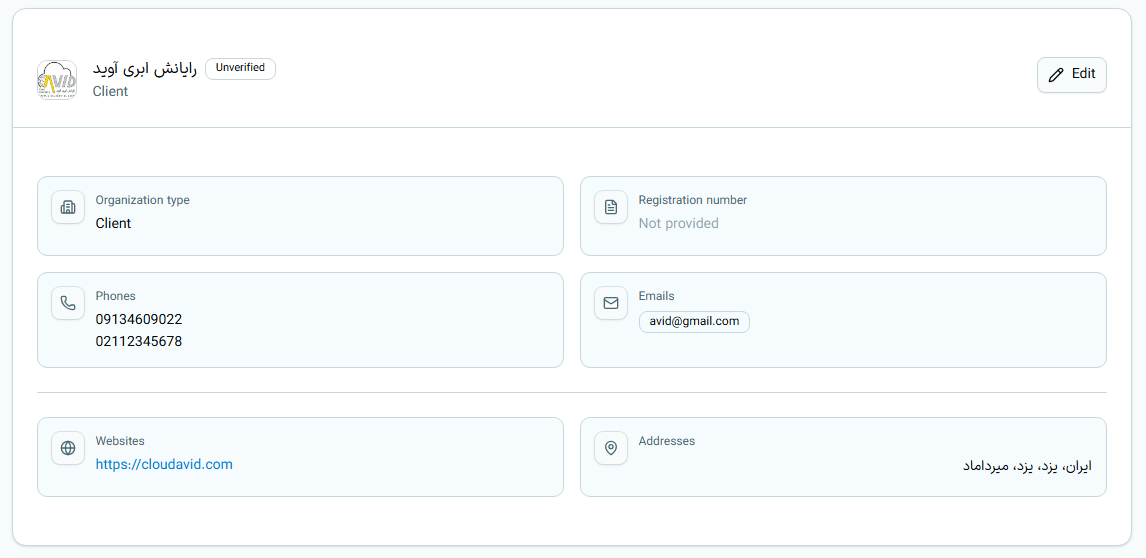
If any part of the information is not registered, it will be displayed as empty or unregistered on the page.
Role Permissions Overview at a Glance
| Role | View Organization Info | Edit Organization Info |
|---|---|---|
| Owner | Yes | Yes |
| Admin | Yes | No |
| Unit Manager | Yes | No |
| Expert | Yes | No |
| Member | Yes | No |
| Viewer | Yes | No |
For more information about access level limitations, read the User Access Levels guide.