Unit Dashboard Guide
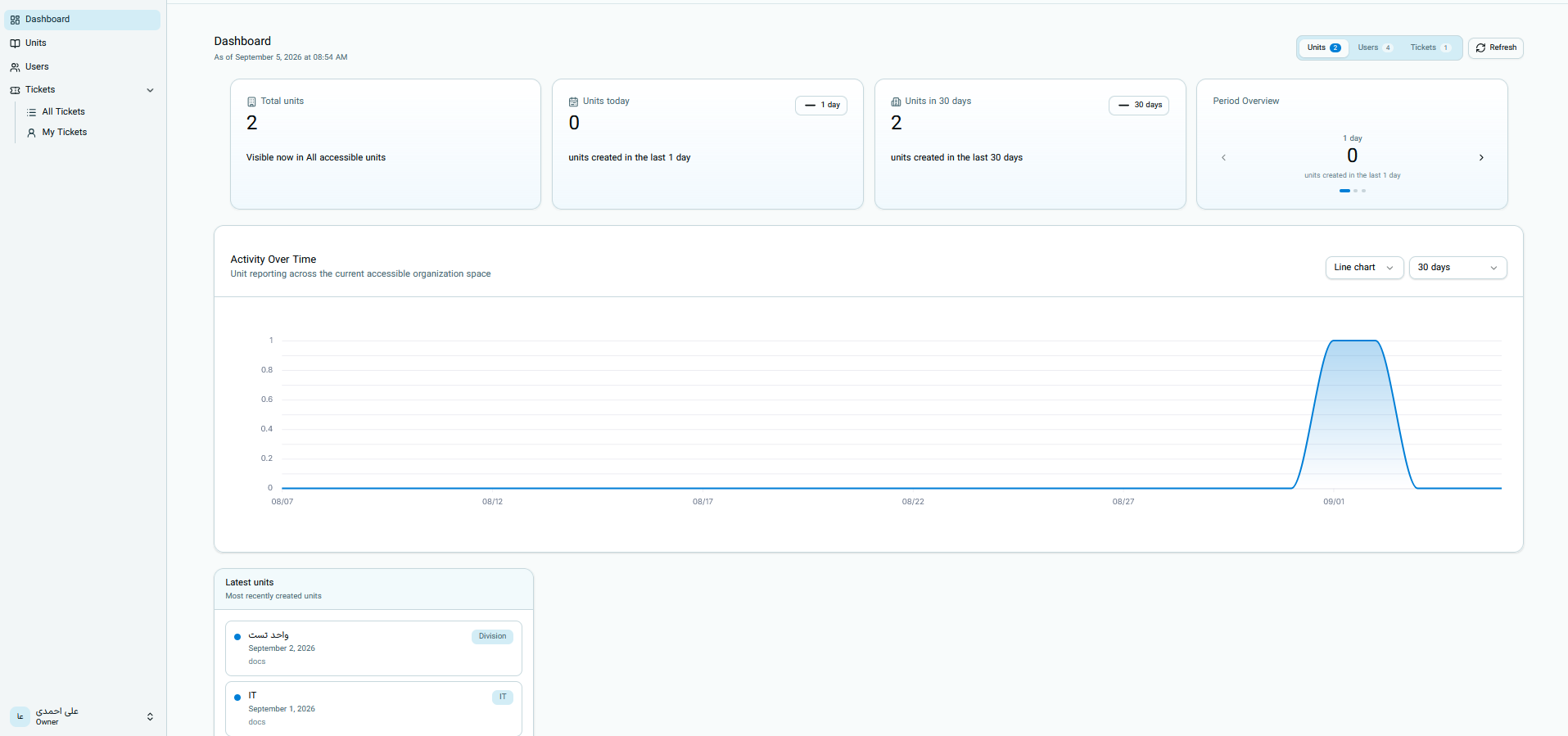
The unit dashboard is used to view the number of organizational units, newly created units, and the trend of unit creation over time.
All information on this page is displayed based on the organizations and units that the current account is allowed to view.
Opening the Unit Dashboard
From the system menu, open Dashboard, and select the Units option at the top of the page.
The number next to the Units option shows the number of visible units within your access scope. You can use the Refresh button to fetch the latest statistics.
Main Unit Metrics
The following cards are displayed at the top of the page:
| Metric | Meaning |
|---|---|
| Total units | Number of all organizational units visible to you |
| Today's units | Number of units created on the current day |
| Units in the last 30 days | Number of units created during the past 30 days |
| Period view | Number of units created in the selected period |
Activity Over Time Chart
The Activity Over Time section displays the trend of organizational unit creation in the selected range.
An increase in the chart line on a date indicates that one or more new units were created at that time. A flat chart indicates no new units during that part of the period.
Chart Settings
At the top of the chart, you can change the display style and time range:
| Option | Usage |
|---|---|
| Chart type | Change data display; for example, a line chart |
| Time range | Select the statistical period; for example, the last 30 days |
When changing the range, the chart is recalculated based on units created within that same duration.
Latest Units
The Latest Units section displays the most recently created units. The following information may be seen for each unit:
- Unit name
- Creation date
- Organization name
- Unit type
The unit type can include items such as Department or Information Technology. This label specifies the unit's type and organizational role.
The list of latest units is suitable for quickly reviewing newly created units and may not display all units in the system.
Important Notes About Unit Statistics
- Total units shows the current value of visible units.
- Today's units and Last 30 days units cards are calculated based on unit creation time.
- Changing the time range alters the chart data.
- The Latest Units section displays only the newest items.
- Use the Refresh button to receive the latest information.
- This page is for viewing statistics, and creating or editing units is not done via the chart.
Continue the Guide
- Ticket Dashboard
- User Dashboard
- Unit Dashboard — current page