Registration and Organization Setup
By completing the registration process in ArtiNex, you can create a new organization and define its first administrative account.
During this process, you will first enter your organization's details and then your user account information. Once the steps are completed, the system automatically prepares everything you need to start operating your organization.
What is created after registration?
- Your organization
- The first organizational unit (Information Technology Unit)
- Your user account
- Assigning your role as the Organization Owner
In this way, you are recognized as the Manager of the Information Technology Unit as well as the Organization Owner, giving you full control of the organization right from the start.
Registration Steps
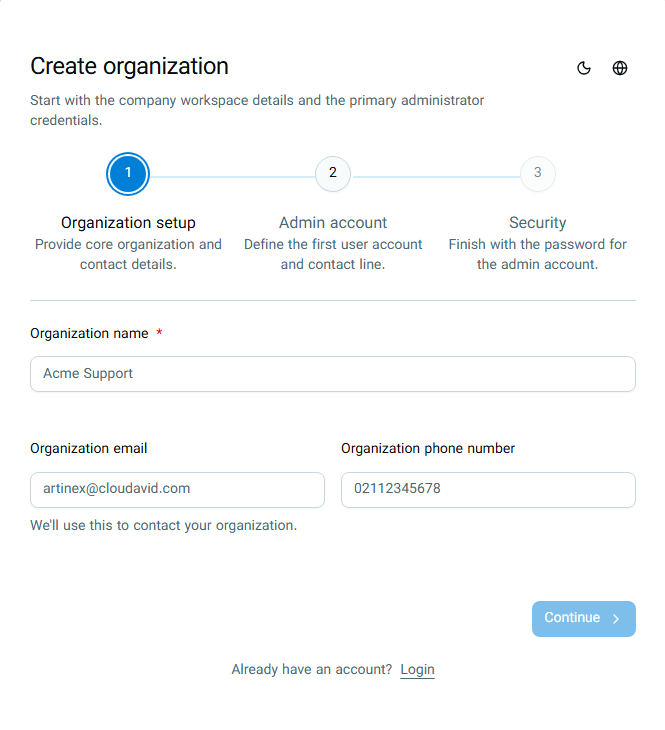
The organization creation process is carried out in three simple steps:
- Organization Details
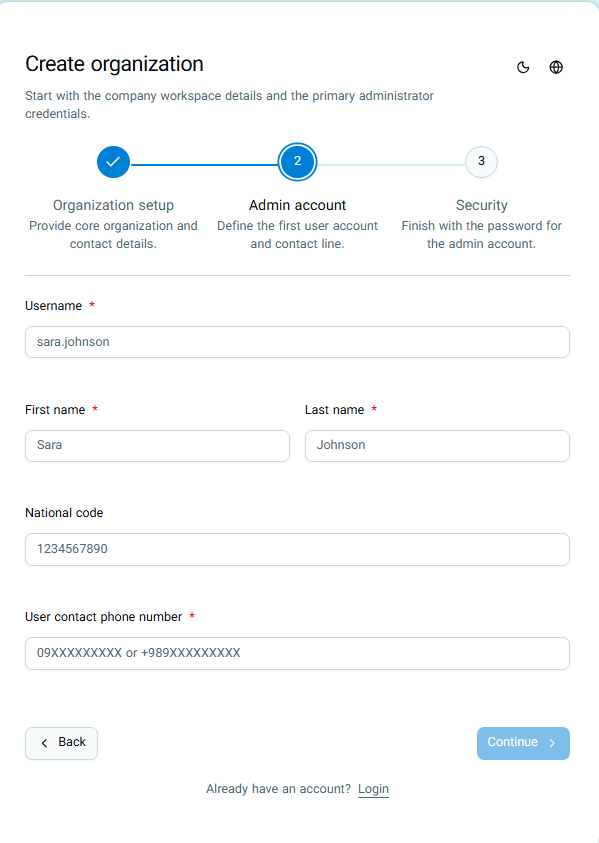
- Owner Account
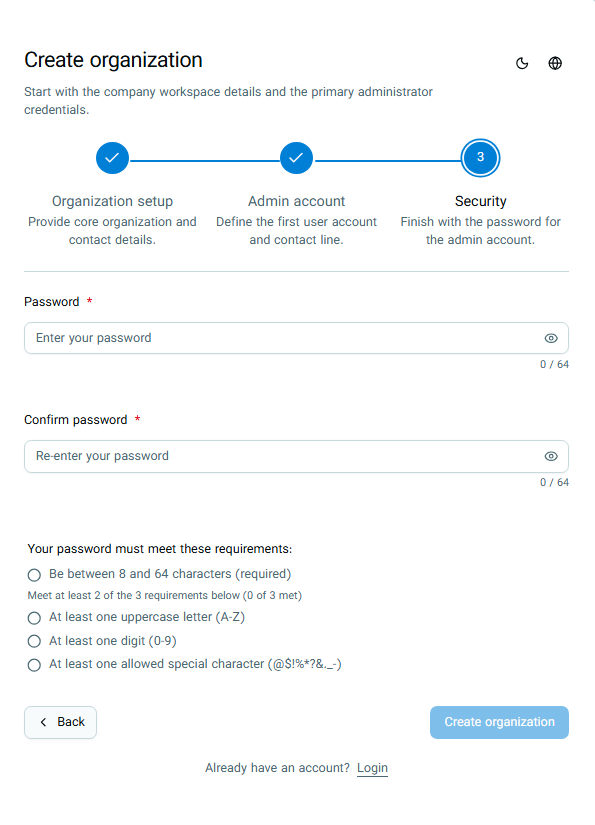
- Security (Set Password)
At each step, the required information is collected from you, and you can proceed to the next step.
Step 1: Organization Details
Step 2: Owner Account
In this step, your personal information is collected as the owner and creator of the organization. This account will be the organization's first user account.
Step 3: Security (Set Password)
In this step, you choose a password for your user account. This password will be used to log in to the system.
Security Recommendations
- Use a password that is not easily guessable.
- Keep your password in a safe place and do not share it with others.
- It is recommended to use a unique password that you have not used elsewhere.
Organization Structure After Registration
Immediately after registration, your organization structure will be as follows:
This way, without needing any additional configuration, your organization is ready to use and you can get started immediately.